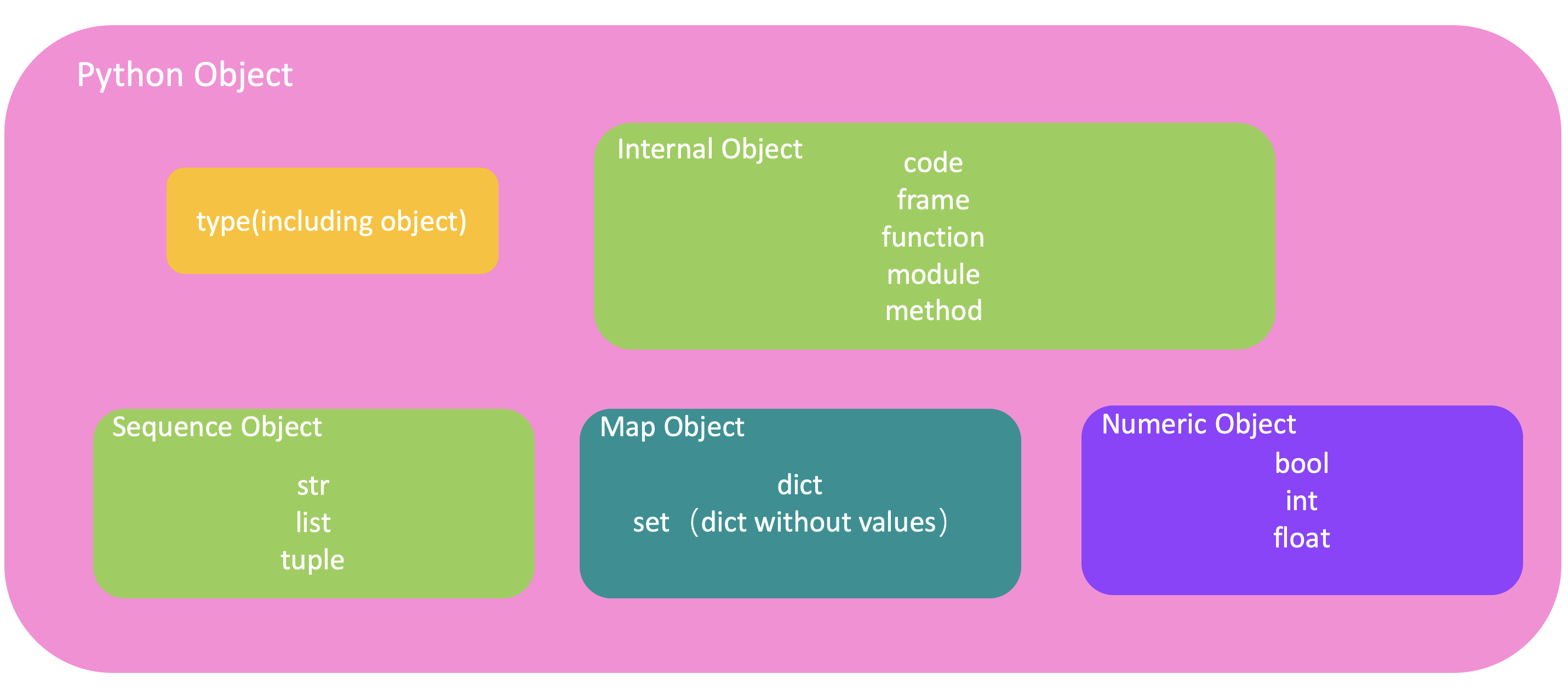
In Python, everything is an object. Here is a classfication of Python objects:
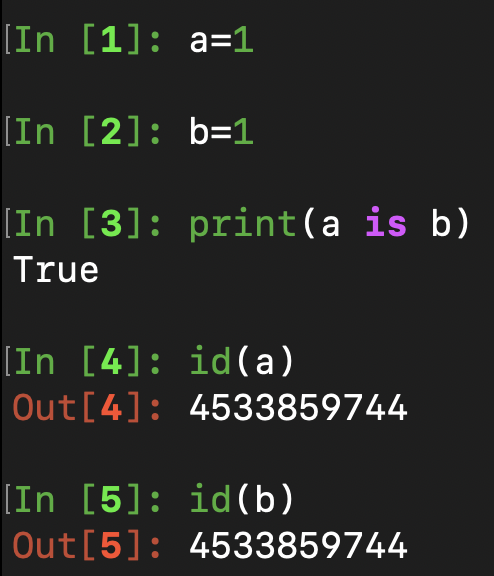
We know that in Java there are 8 primitive types(int, boolean, char, etc), which are not object. However, even an integer in Python is an object. For example:
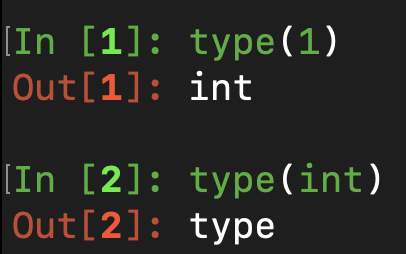
From the example we can know that a and b have the same reference. a and b are both object of int, and we can call them instance object. int is a type object, and we can interpret it as a class in Java(though it is a class object):
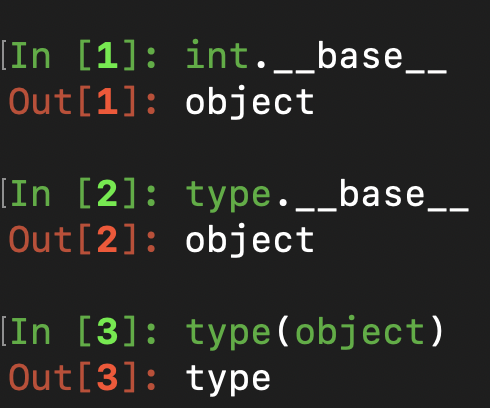
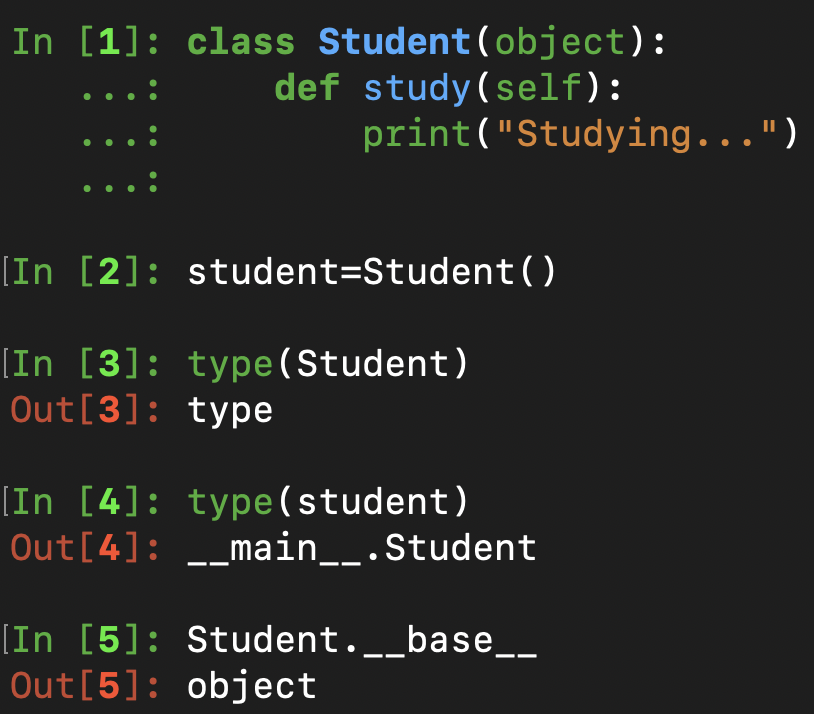
There is a special type object named object, and we can interpret it as Object in Java, which means it is the base class:
We can also define our own class, which is also a type object:
1
2
3
classStudent(object): defstudy(self):# "self" represents current instance object, which is similar to "this" in Java. And it cannot be omitted. print("Studying...")
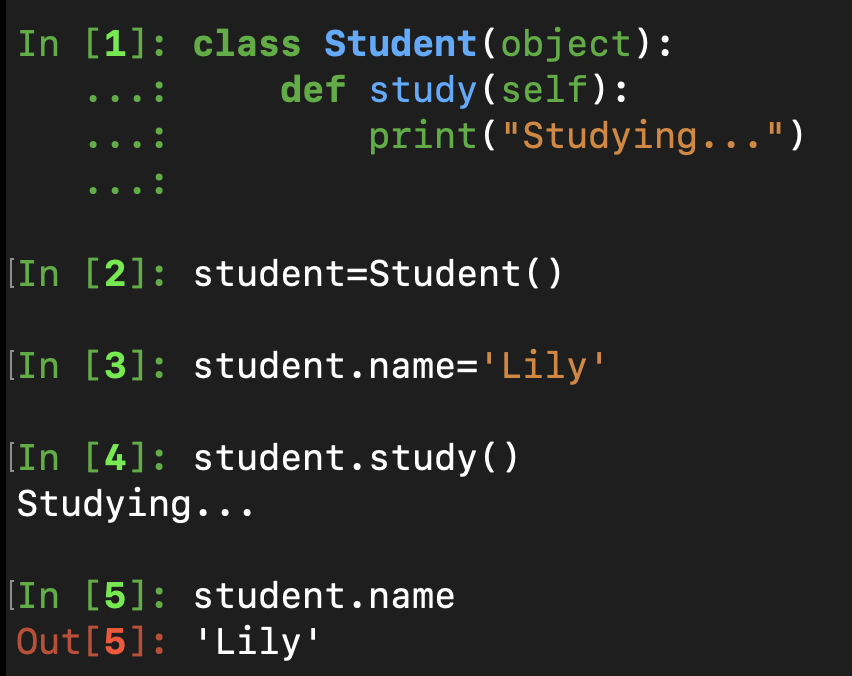
And we can add attributes to an instance object of Student directly. For example, we can add an attribute name to the instance object student:
Magic Methods in Class
There are four magic methods worth noting in a class:
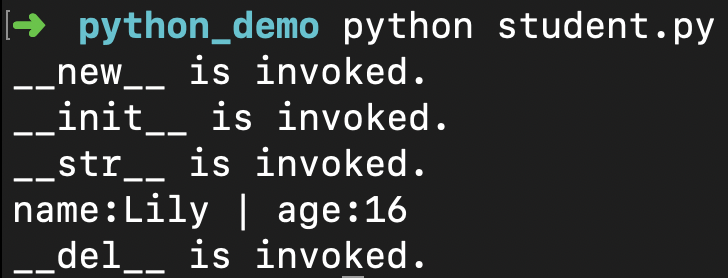
__new__: Create an instance object from a class object.
__init__: Initialize the attributes of the instance object. This method is invoked after the __new__ method.
__str__ : Similar to toString method in Java.
__del__: This method is invoked when an instance object is garbage collected, which happens at some point after all references to the object have been deleted.
Firstly we can figure out the execution order of these methods:
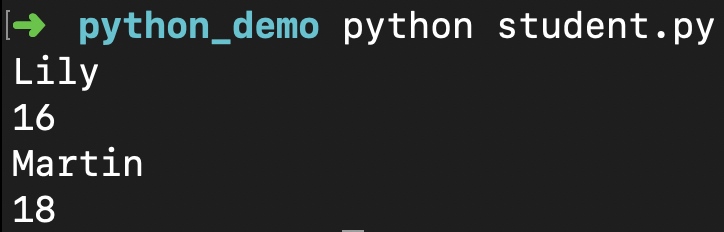
classStudent(object): def__init__(self, name, age): self.__name = name # __name is a private attribute. self.__age = age # __age is a private attribute. defget_name(self): return self.__name defget_age(self): return self.__age defset_name(self, name): self.__name = name defset_age(self, age): self.__age = age
classStudent(object): def__init__(self, name, age): self.__name = name self.__age = age def__read_novels(self):# __read_novels is a private method. print("Reading novels...") defread(self):# read is a public method. self.__read_novels()
defget_name(self): return self.__name defget_age(self): return self.__age defset_name(self, name): self.__name = name defset_age(self, age): self.__age = age
Python allows a class object to inherit from mupltiple classes, i.e., multiple inheritance. Here is a simple example:
1
2
3
4
5
6
7
8
9
10
11
12
13
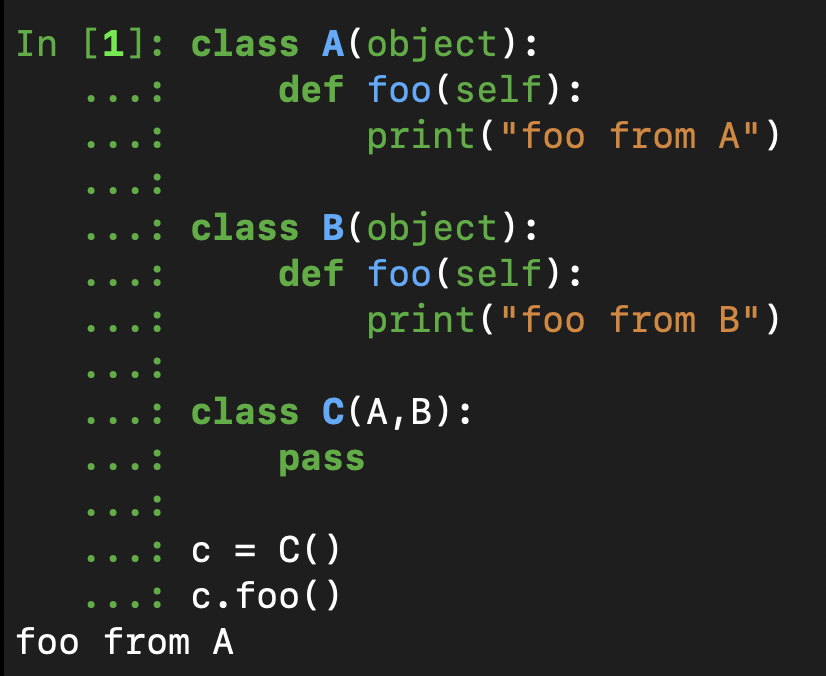
classA(object): deffoo(self): print("foo from A")
classB(object): deffoo(self): print("foo from B")
classC(A,B): pass
c = C() c.foo()
From the above example we can find that by default c.foo() invoke the foo method from superclass A. But why? To understand the reason, we can use __mro__ (method resoultion order) method, which returns a tuple:
In multiple inheritance, when we search for an attribute in a class that is involved, an order is followed. First, it is searched in the current class. If not found, the search moves to super classes. In the above case, the search order will be left-to-right, i.e. C, A, B, object. Therefore, if we use c.foo(), the foo method in A will be used.
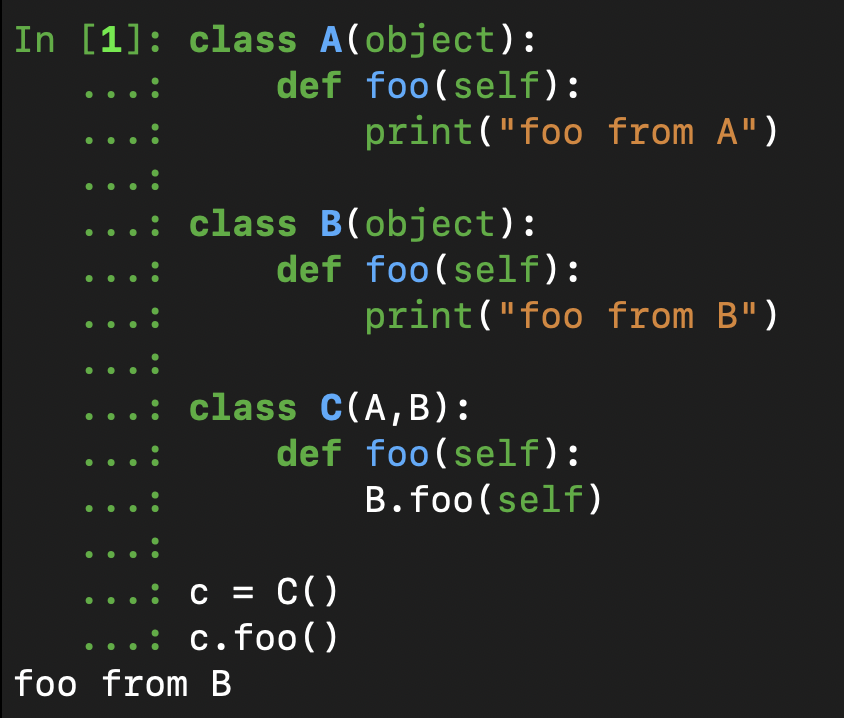
If we want to invoke B‘s foo method when using c.foo(), we can override the foo method in C:
1
2
3
4
5
6
7
8
9
10
11
12
13
14
classA(object): deffoo(self): print("foo from A")
classB(object): deffoo(self): print("foo from B")
classC(A,B): deffoo(self): B.foo(self)
c = C() c.foo()
Static Variables and Methods
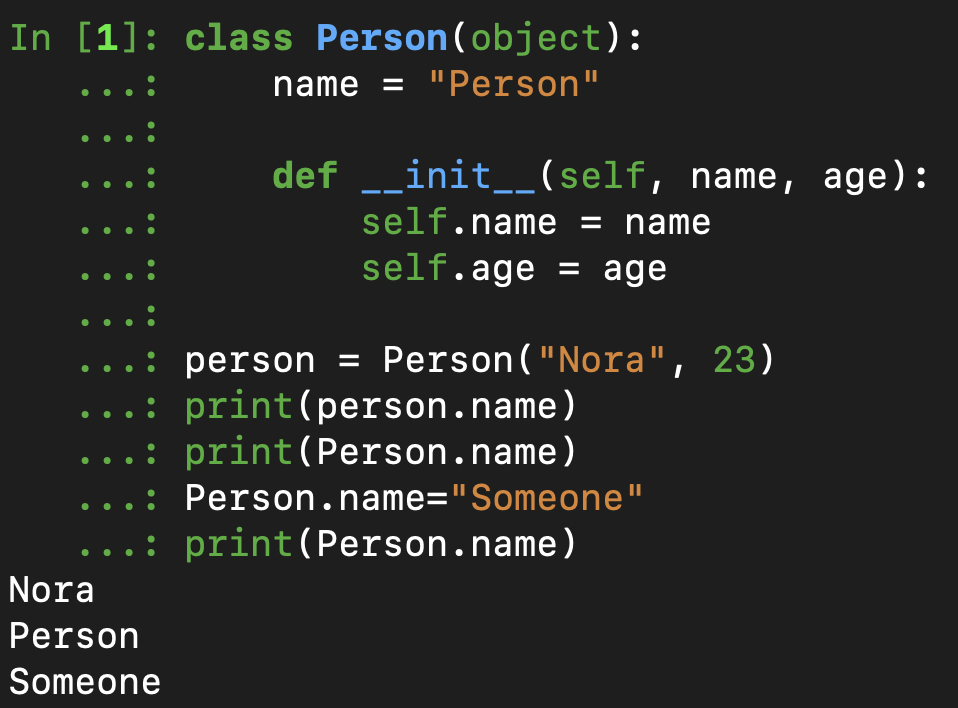
All variables defined on the class level in Python are considered static. For example:
1
2
3
4
5
6
7
8
9
10
11
12
classPerson(object): name = "Person"# Belong to class object, which is similar to static vairable in Java.
def__init__(self, name, age): self.name = name # Belong to instance object. self.age = age
person = Person("Nora", 23) print(person.name) print(Person.name) Person.name="Someone" print(Person.name)
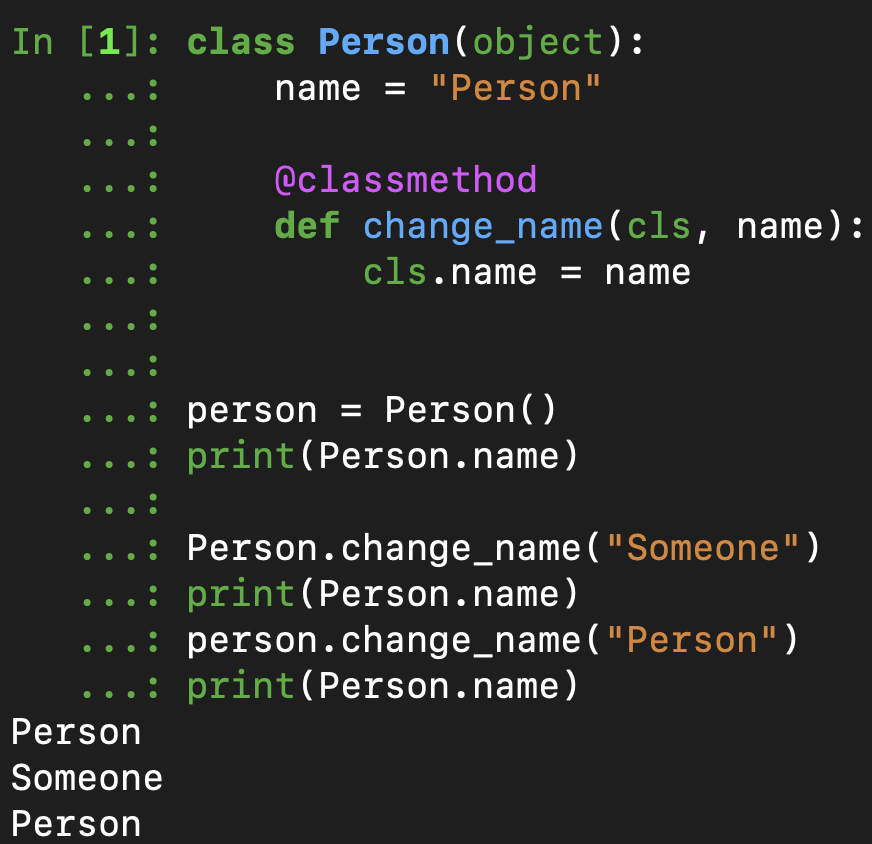
In Python, there are two ways of defining static methods within a class. One way is using @classmethod:
""" 1. Similar to static method in Java, both instance object and class object can invoke this change_name method. 2. We can also use class method to modify class attribute, in this case, name. """ @classmethod defchange_name(cls, name):# cls means this method is belong to class object. cls.name = name
person = Person() print(Person.name)
# Both instance object and class object can invoke this change_name method: Person.change_name("Someone") print(Person.name) person.change_name("Person") print(Person.name)
Another way of defining static methods is using @staticmethod, which cannot modify static varibles, and we can omit this argument cls in these methods:
1
2
3
4
5
6
7
8
9
classPerson(object): """ 1. Similar to static method in Java, both instance object and class object can invoke this eat method. 2. We cannot use this method to modify class attribute. 3. There is no mandatory argument "cls". """ @staticmethod defeat(): print("Eating...")